

Introduction
Flyers have long been one of the most effective and affordable marketing tools — whether you’re promoting a local event, launching a new business, or advertising a seasonal sale. But for many beginners, designing a professional-looking flyer from scratch can feel intimidating. That’s where Free Printable Design Templates come to the rescue.
With these ready-made templates, you don’t need to be a designer or spend hours learning complicated software. Instead, you can simply choose a layout that fits your purpose, customize it with your brand details, and print it — all within minutes. These templates offer a simple yet powerful way to create eye-catching, professional flyers that grab attention and deliver results.
In this complete beginner’s guide, we’ll walk you through the process of creating your first flyer using free printable design templates — from choosing the right one for your goal to customizing and printing it perfectly.
1. Why Flyers Still Matter in the Digital Age
While digital marketing dominates today’s business world, physical flyers remain one of the most effective ways to connect directly with people. They are tangible, easy to distribute, and can reach audiences who may never see your online ads.
Here’s why flyers continue to be powerful:
- Personal Touch: Handing out flyers adds a sense of connection and credibility.
- Budget-Friendly: You can print hundreds of flyers for the cost of a single online ad.
- High Engagement: A well-designed flyer grabs attention instantly — especially when it’s visually appealing and professionally made.
- Offline Reach: Perfect for local businesses, community events, and small promotions.
The good news? With Free Printable Design Templates, anyone can create professional-quality flyers without hiring a designer or investing in expensive software.
2. Understanding Free Printable Design Templates
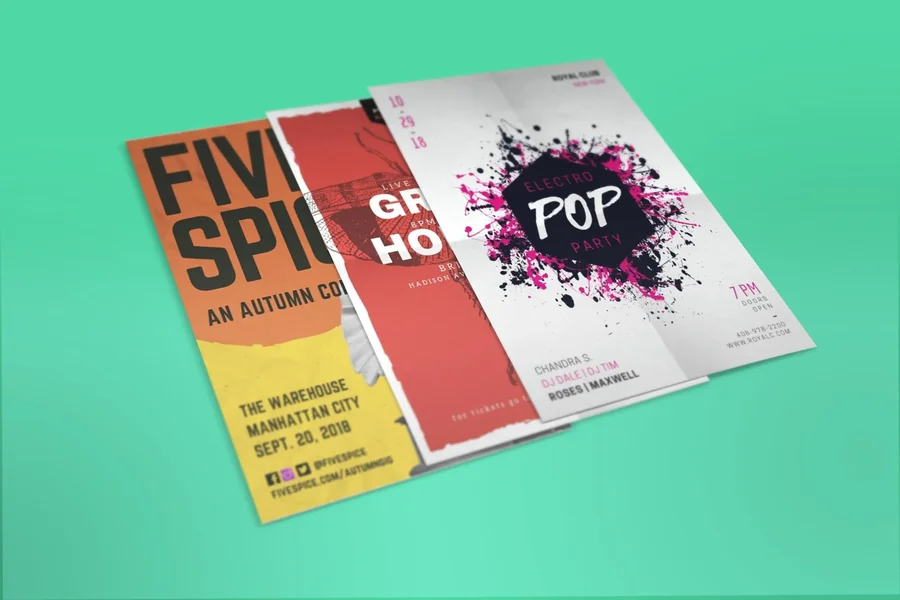
Free Printable Design Templates are pre-made layouts you can easily edit with your own text, images, and branding. They’re usually available in editable formats like Canva, Adobe Express, or Microsoft Word.
Here’s why they’re ideal for beginners:
- No design experience needed — templates are already balanced and well-structured.
- Ready-to-print format — dimensions and spacing are pre-set.
- Easily customizable — you can add your logo, brand colors, or contact details.
- Free to use — saving money while maintaining professional quality.
These templates are a great starting point, helping you create a stunning flyer quickly and effortlessly.
3. Choosing the Right Template for Your Purpose
Every flyer serves a different purpose, so it’s important to pick a template that fits your goal. When browsing through Free Printable Design Templates, ask yourself:
- What is my flyer trying to promote? (A sale, an event, a service, or a new product?)
- Who is my target audience? (Students, professionals, families, etc.)
- What tone do I want to convey? (Fun, elegant, professional, or creative?)
Here are some examples:
- Business Flyers: Clean, minimalist designs with space for services, pricing, and contact info.
- Event Flyers: Bold colors, attractive fonts, and imagery that builds excitement.
- Restaurant or Café Flyers: Use food images, rich colors, and elegant typography.
- Real Estate Flyers: Focus on images of properties and a well-structured layout.
The key is to find a template that aligns with your brand’s identity and message.
4. Customizing Your Template Step by Step
Once you’ve chosen your template, it’s time to make it uniquely yours. Here’s how you can easily customize your Free Printable Design Templates to match your style and branding:
Step 1: Add Your Brand Elements
- Insert your logo, brand colors, and fonts.
- Make sure these elements are consistent with your website or social media visuals.
Step 2: Write Compelling Text
Keep your message clear and concise. Include:
- A catchy headline that grabs attention.
- Key details (what, when, where, and how).
- A strong call-to-action (CTA) like “Visit Us Today,” “Order Now,” or “Call for Details.”
Step 3: Choose the Right Images
High-quality visuals make a big difference. Replace any stock images in the template with your own photos or graphics.
Step 4: Adjust Layout and Spacing
Make sure your flyer doesn’t look cluttered. Leave enough white space to make the text and images easy to read.
Step 5: Proofread Everything
Before printing, check spelling, grammar, and contact details. A small typo can make a big difference in credibility.
5. Designing for Print: Technical Details to Remember
Even the best design can lose impact if printed poorly. Before printing your flyer, double-check these settings to ensure top quality:
- Resolution: Always use 300 DPI for sharp, clear prints.
- Color Mode: Convert your file to CMYK instead of RGB for accurate color output.
- Bleed Area: Add a 3mm bleed margin to prevent white edges after trimming.
- File Format: Save your design as a PDF for best print compatibility.
When you’re using Free Printable Design Templates, most of these specifications are already set correctly — saving you time and reducing errors.
6. Printing Your Flyer: Home vs. Professional Printing
Now that your design is ready, you can either print it yourself or use a local print shop.
Printing at Home:
- Perfect for small batches or test runs.
- Use high-quality paper (preferably 120–200 GSM).
- Choose the correct paper type (matte or glossy) in printer settings.
Professional Printing Services:
- Ideal for bulk printing or when you need flawless results.
- They offer advanced color calibration, trimming, and finishing options.
If you’re just starting, print a few test copies at home first. Once satisfied with the design and quality, you can get larger quantities printed professionally.
7. Distributing Your Flyers Effectively
A great flyer only works if it reaches the right audience. Here are a few smart ways to distribute your flyers once they’re printed:
- Local Businesses: Ask nearby shops, cafes, or gyms to display your flyers.
- Events and Markets: Hand them out during trade fairs, meetups, or exhibitions.
- Mail Drops: Deliver flyers directly to homes in your target area.
- Community Boards: Post them in libraries, schools, or community centers.
- QR Codes: Include a QR code on your flyer linking to your website or social media.
Distribution is as important as design — make sure your flyers get into the right hands.
8. Best Platforms to Find Free Printable Design Templates
There are plenty of platforms that offer beautiful and editable templates for free. Here are a few popular ones:
| Platform | Best For | Key Features |
| Canva | Beginners and small businesses | Drag-and-drop editor, free templates, and easy printing options |
| Adobe Express | Professional designs | Branded layouts, free fonts, and export-ready files |
| VistaCreate | Event and promotional flyers | Ready-to-print templates with vibrant colors |
| Microsoft Office Templates | Corporate flyers | Simple, editable templates for Word and PowerPoint |
Choose one that suits your needs — all of these platforms let you customize and download high-resolution files for free or at a low cost.
9. Tips to Make Your Flyer Stand Out
Even with the best template, creativity can take your flyer to the next level. Here are a few pro tips:
- Use contrasting colors to highlight key information.
- Keep text minimal — let visuals speak.
- Align your design with your brand personality (fun, elegant, bold, etc.).
- Add social proof, like testimonials or ratings, if relevant.
- Don’t forget a strong CTA that tells people what to do next.
Remember — simplicity often wins. A clean, readable, and visually balanced flyer is far more effective than a cluttered one.
10. Common Mistakes to Avoid
Many beginners make small errors that reduce the impact of their flyers. Avoid these common mistakes:
- Using low-resolution images that appear pixelated.
- Overloading the flyer with too much text.
- Ignoring brand consistency (mismatched fonts or colors).
- Forgetting margins or bleed areas, causing uneven cuts.
- Printing without checking color accuracy.
Taking a few extra minutes to double-check your design ensures a professional and polished result.
Conclusion
Creating a stunning flyer doesn’t have to be complicated or expensive. With the help of Free Printable Design Templates, anyone — even without design experience — can produce professional-quality flyers that make a lasting impression.
From choosing the right template and customizing it with your brand details to printing and distributing it effectively, every step contributes to your flyer’s success.
So, don’t wait for a professional designer. Start exploring free templates today, unleash your creativity, and bring your brand’s message to life — one flyer at a time.
